Looking for the best printer for your home or office can be overwhelming with so many models and features to choose from. That’s why we’ve taken a different approach—this blog is based entirely on real customer reviews. We’ve sifted through hundreds of user experiences to highlight the printers that actually deliver on performance, reliability, and value. Whether you need a compact option for occasional use or a feature-rich model for daily printing tasks, these top-rated printers have earned their reputation through consistent, real-world results.
Quick Pick
| Printer | Best For | Key Strengths |
|---|---|---|
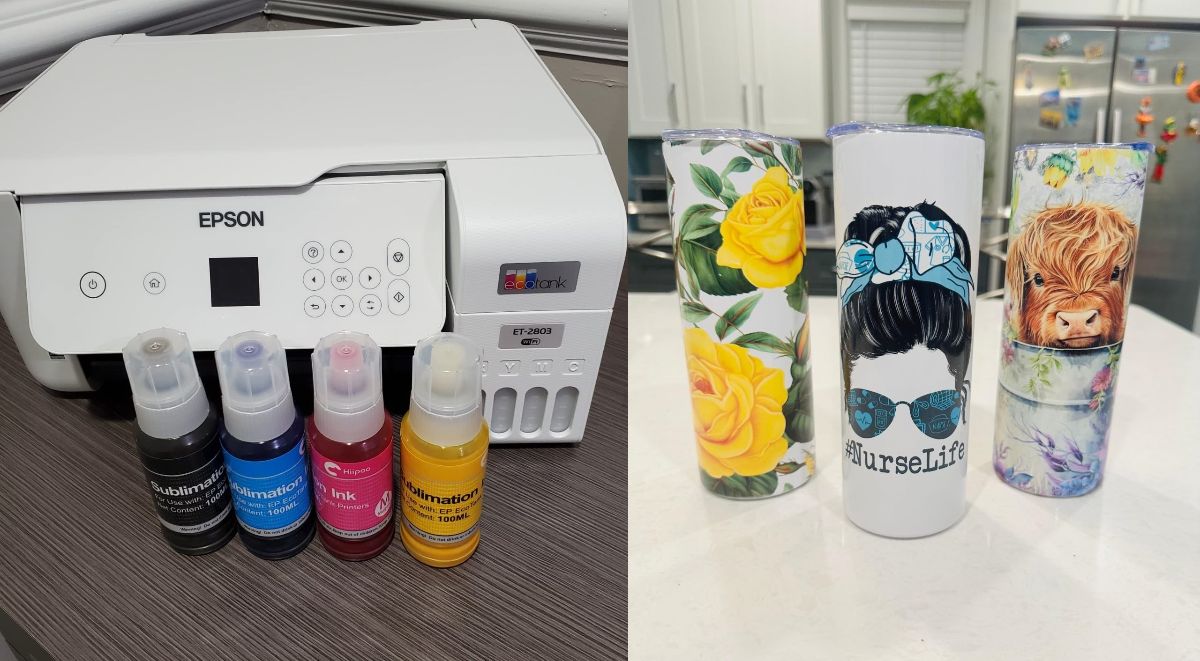
| Epson EcoTank ET‑2800 | Home or small office users with moderate to heavy print needs | Ultra-low cost per page, very long-lasting refillable ink tanks, reliable everyday output, and mess-free refilling |
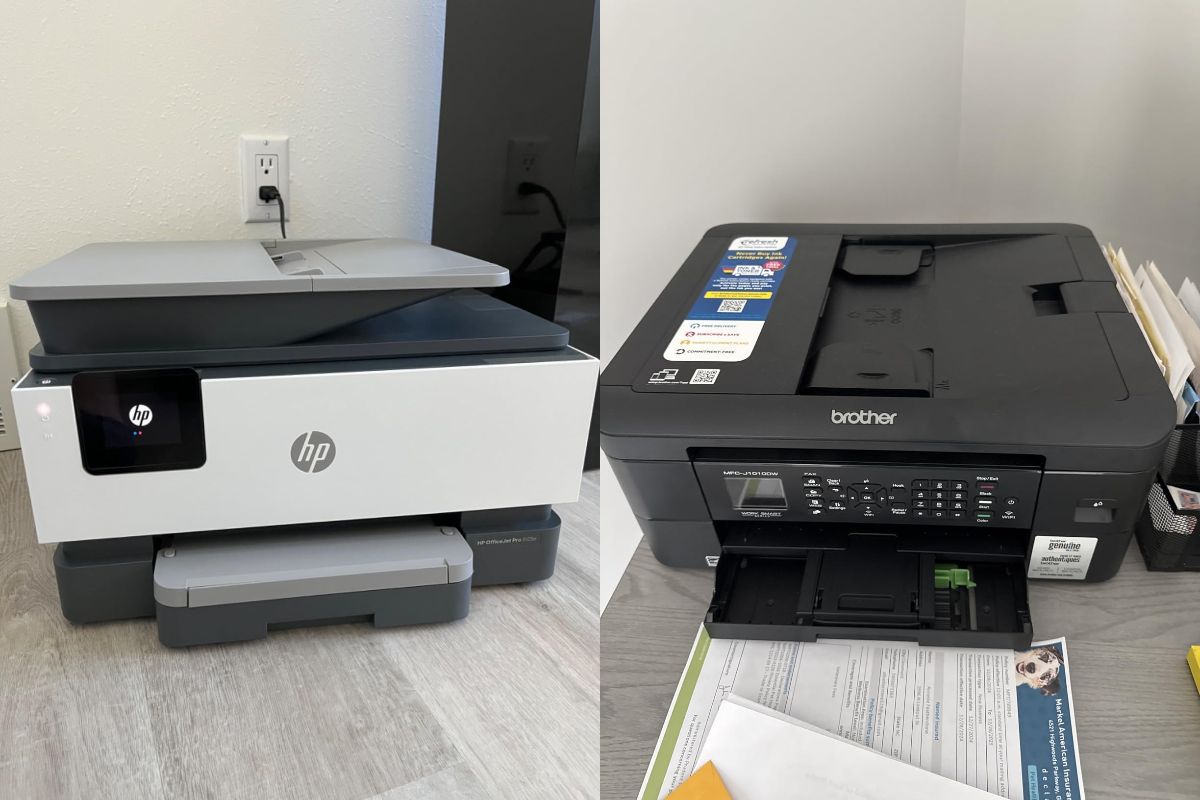
| HP OfficeJet Pro 9125e | Home offices and small business users who need a fast, reliable all-in-one | High print speeds (up to 32 ppm in draft), automatic duplex printing and scanning, 250-sheet input tray, 35-sheet ADF, 2.7″ touchscreen, Wi‑Fi + Ethernet, and reliable ink cartridges |
| Brother MFC‑J1010DW | Occasional color printing on a budget | Easy wireless setup, fast scanning, compact design, and good print quality |
| Canon TR8620a | Versatile home use and photo/document printing | Intuitive touchscreen interface, duplex printing, dual paper sources (tray + rear), reliable Wi‑Fi, and strong image/text quality |
| HP OfficeJet 250 | On-the-go printing, remote work, travel | Portable with built-in rechargeable battery, wireless printing, duplex support, and scanning/copying features |
1. Epson EcoTank ET-2800 Wireless All-in-One Printer
Why We Picked It
The Epson EcoTank ET-2800 delivers high-quality printing with exceptionally low running costs. Its print quality is impressive, and the ink refilling system is simple and mess-free. The printer is reliable in everyday use, compact in size, easy to set up, and produces strong color output, including photos.
Overall, the ET-2800 provides excellent value for home, office, and small business printing tasks, making it one of the most cost-effective and dependable choices in the EcoTank lineup.
Pros
- Excellent print quality. Text looks sharp and colors appear vivid and accurate.
- Extremely low cost per print. Several reviewers noted that the ink barely moves even after heavy use.
- Easy, mess-free refilling system. Flip, fill, and finish with no cartridge waste.
- Simple and fast setup with clear guided instructions.
- Compact and lightweight design that fits smaller workspaces.
- Reliable everyday performance with very few jams or errors.
- Impressive photo quality for the price when using glossy paper.
- No strong odor during long printing sessions.
- Works well with iPhones, Mac, and Linux.
- Excellent overall value for the cost.
Cons
- App and wireless connectivity issues for some. Printer detection can be inconsistent.
- Loud during long print sessions, even in quiet mode.
- No automatic double-sided printing. Manual duplex can be slow.
- Not ideal for heavy volume printing. One unit reached an end of life warning at about 19,000 pages.
- Some printers struggle when printing more than 25 copies in one batch.
- Print queue issues reported on Windows 10.
- Software can feel finicky, especially with photo settings and paper type prompts.
Who Is It For
- Home printing needs, including documents and photos.
- Students printing assignments, reports, and projects.
- Home office use for strong text output with low running costs.
- Casual photography printing without a dedicated photo printer.
- Light to moderate printing with minimal maintenance.
- Eco-conscious printing with refillable ink tanks.
- Small business projects such as flyers, coloring books, or simple booklets in moderate quantities.
Not ideal for
- High volume printing environments
- Automatic double-sided printing requirements
- Quiet operation during long print sessions
Helpful Review Insight
- One reviewer described it as so easy and reliable that it motivated them to write a review, highlighting its effortlessness.
- A home photo printer user printed hundreds of photos with the ink tanks still mostly full, demonstrating impressive longevity.
- An amateur photographer praised the high-quality photo output on glossy paper, despite the printer not being dedicated to photos.
- A small business printed about 19,000 sheets before the printer reached its end of life, showing it can handle demanding tasks but is not built for continuous high-volume printing.
- Multiple reviewers emphasized easy setup, no mess, and no odor, which are uncommon strengths for home printers.

2. HP OfficeJet Pro 9125e All-in-One Printer
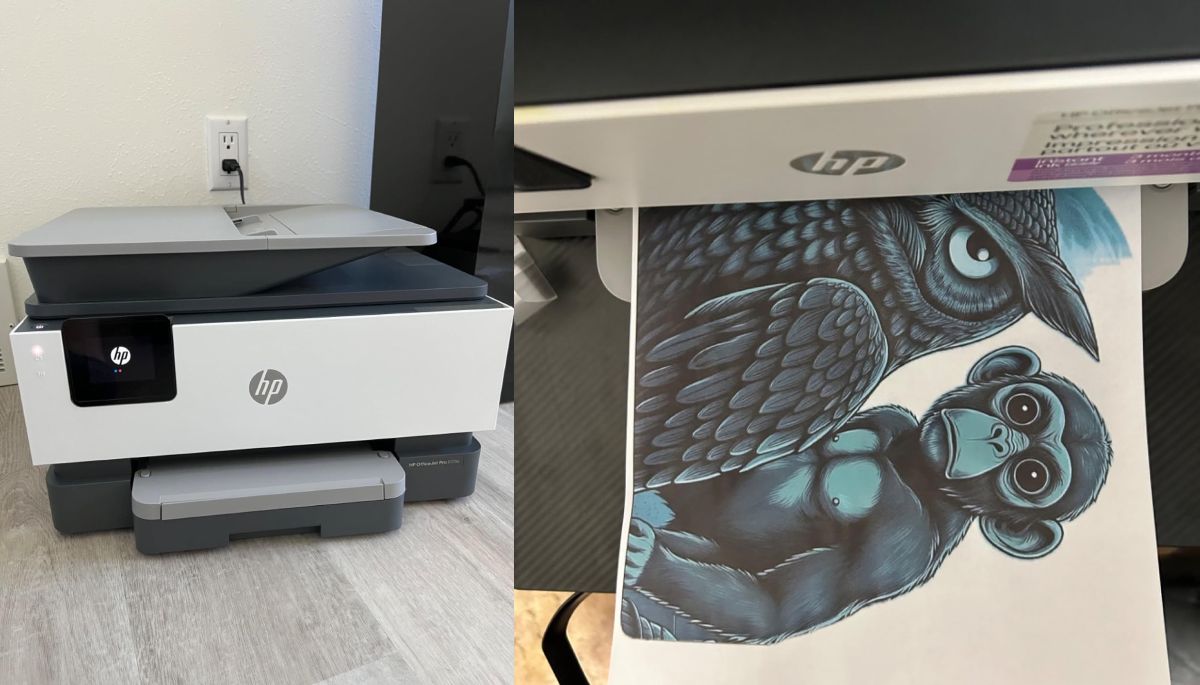
Why We Picked It
The HP OfficeJet Pro 9120e Series offers a robust and versatile printing solution for home and small office use. It combines a fast print speed with high-quality output, a large volume paper drawer, duplex printing, and a multi-page scanner feeder. The setup process is guided and straightforward, and the printer integrates well with HP Smart and Wi-Fi networks. Its features support both document and creative printing projects, making it a reliable all-in-one system.
Pros
- Fast print speed for both black and color documents.
- High-quality print output, sharp text and vivid colors.
- Large paper drawer and multi-page document feeder for efficiency.
- Duplex printing capability.
- Easy setup with HP Smart app and guided instructions.
- Wi-Fi connection that self-corrects and quickly integrates with devices.
- Adjustable control panel for comfortable operation.
- Durable and reliable for home or small business use.
- Cartridges are easy to install and align.
- Supports HP+ service with Instant Ink and extended warranty.
Cons
- Some features require HP+ subscription or access to HP services.
- Cartridges must be genuine HP ink. Third-party cartridges may not work.
- Scanner resolution is limited to 300 dpi.
- Setup may involve navigating HP account requirements and software prompts.
- Touchscreen panel is small and may require precise interaction.
- Printer can be sensitive to cord movement and may shut off if bumped.
- Initial alignment and setup noise may be noticeable in quiet environments.
Who Is It For
- Home office users needing a reliable, high-quality printer.
- Small business owners printing documents, flyers, and multi-page materials.
- Creative users needing duplex printing and multi-page scanning.
- People seeking fast print speed without sacrificing quality.
- Those who want seamless Wi-Fi integration and device connectivity.
- Users comfortable using HP Smart and optional HP+ services.
Not ideal for
- Users who want complete freedom to use third-party ink.
- High-volume printing environments requiring industrial-grade durability.
- Users sensitive to small touchscreen panels or setup prompts.
Helpful Review Insight
- One reviewer noted that installation was very easy with step-by-step guidance, self-alignment of print heads, and a smooth Wi-Fi connection.
- The printer is praised for its speed, print quality, and quiet operation during normal printing.
- Users appreciate the durability of the system and features such as duplex printing and the multi-page scanner feeder.
- Some long-time HP customers were frustrated by HP+ subscription requirements and ink restrictions.
- The pivoting control panel is a helpful feature for comfortable operation.
Overall, the printer balances reliability, speed, and versatility, making it suitable for home and small business printing tasks.
3. Brother MFC-J1010DW Inkjet All-in-One Printer
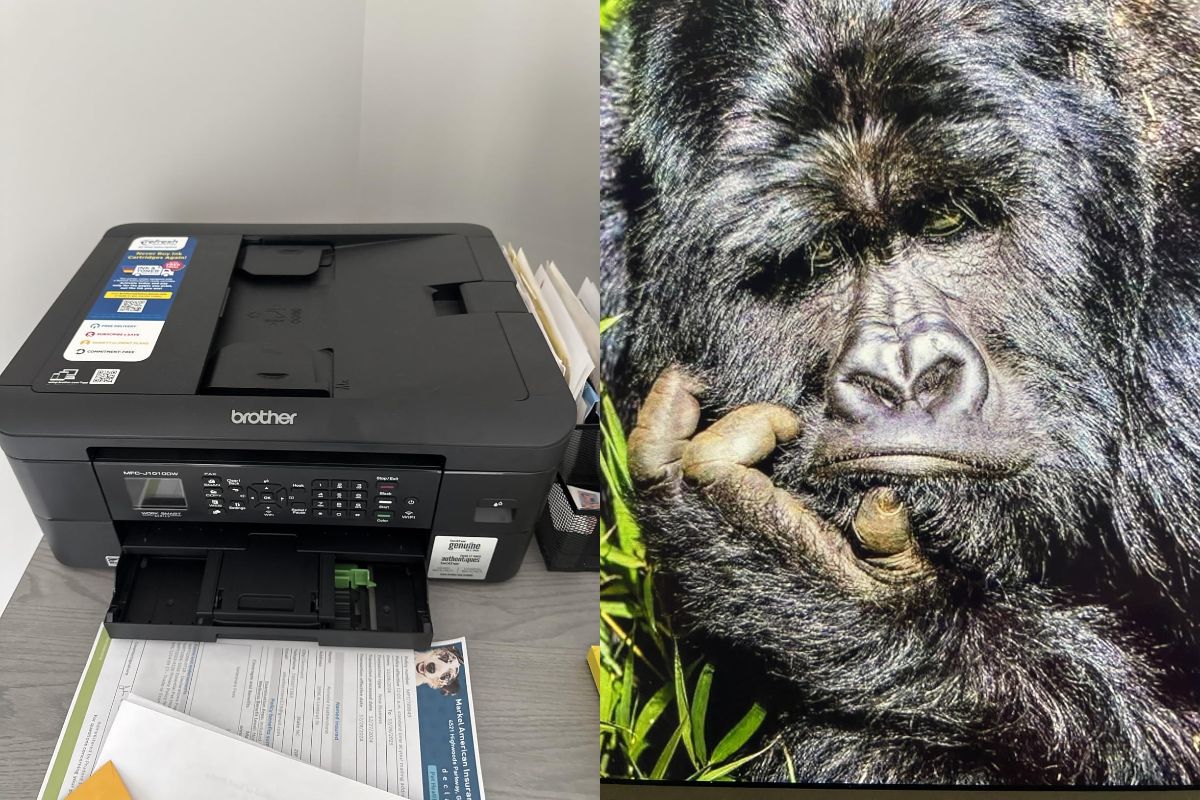
Why We Picked It
The Brother MFC-J1010DW is a compact, affordable color inkjet printer ideal for light to moderate color printing needs. It delivers clear, crisp prints in both black and color and includes scanning and duplex printing features. Setup is fast and intuitive, supporting both wireless and desktop installation. The printer also accommodates a variety of paper types and sizes, making it a versatile choice for home offices or creative projects.
Pros
- Clear and crisp black and color printing.
- Fast and accurate scanner with full-color scanning.
- Duplex printing for double-sided documents.
- Simple and intuitive setup through Brother mobile app or desktop browser.
- Wireless printing works seamlessly across multiple devices.
- Compatible with various paper types, including glossy paper.
- Compact design suitable for small spaces.
- Starter cartridges provide enough ink for initial setup.
- Affordable price for its features and print quality.
- App provides easy instructions for cartridge replacement and monitoring.
Cons
- Ink subscription service can be slow; delays may interrupt printing.
- Printer may stop large print jobs if ink runs out or buffer limits are reached.
- Slower printing for larger color documents.
- Limited built-in memory; cannot handle very large jobs without PC support.
- Heavy reliance on Brother app or subscription service for some functions.
- Occasional wireless setup issues may occur in weak signal areas.
- Not ideal for high-volume printing environments.
Who Is It For
- Home users with occasional color printing needs, around 10–500 pages per month.
- Students or hobbyists printing assignments, artwork, or illustrations.
- Home offices requiring scanning and duplex printing in a compact design.
- Users looking for easy wireless printing from multiple devices.
- People seeking value-for-money options without industrial printing requirements.
Not ideal for
- Users needing continuous high-volume color printing.
- Heavy office environments where ink delays would be disruptive.
- Those who want to print large jobs overnight without monitoring.
Helpful Review Insight
- Reviewers praised its easy and quick setup, intuitive mobile app, and seamless Wi-Fi connection.
- Print and scan quality for black, color, and glossy pages is excellent given the price point.
- Starter cartridges perform well and do not compromise print quality during initial use.
- Some users experienced slow or unreliable ink deliveries when using the subscription service, which may interrupt printing.
- The printer handles small to medium projects efficiently, but large jobs require monitoring due to memory and buffer limitations.
Overall, it is a highly recommended option for light color printing and scanning at a very reasonable price.
4. Canon PIXMA TR8620a All-in-One Printer
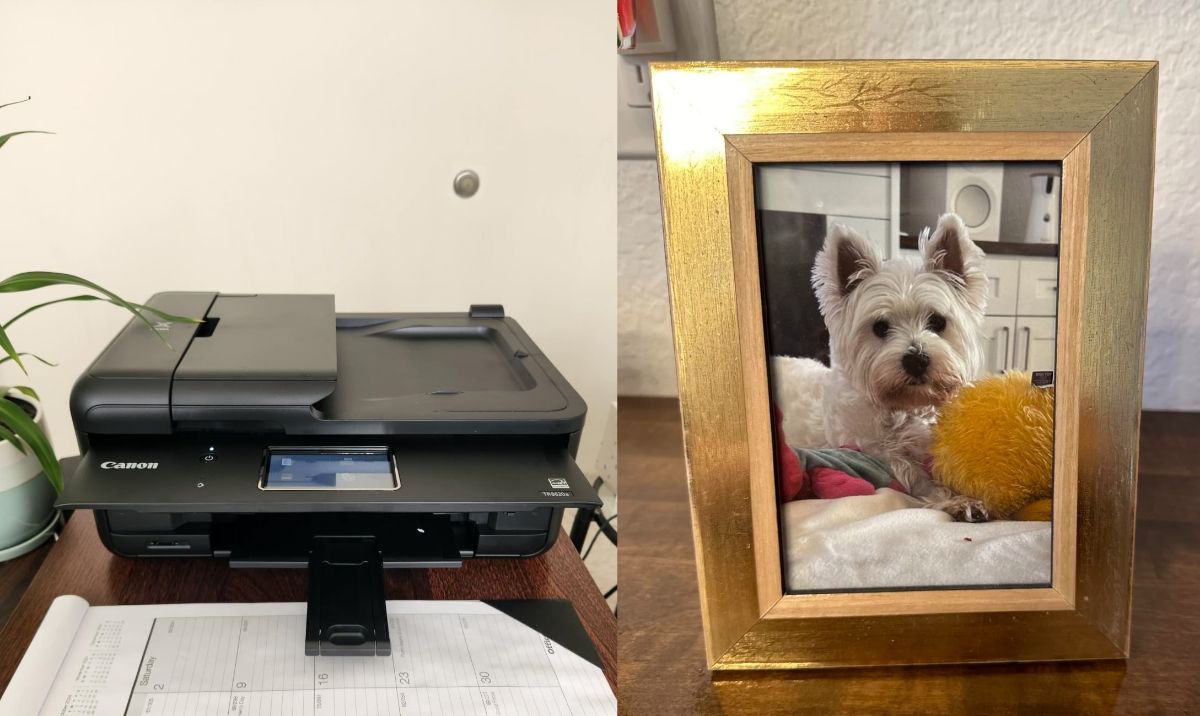
Why We Picked It
The Canon TR8620a is a versatile all-in-one printer offering strong performance for home and small office use. It provides wireless printing, duplex printing, and multiple paper input options including rear loading for heavier stock or specialty papers. The touchscreen interface is intuitive, setup is straightforward, and print quality is crisp and consistent for both documents and photos. Its compact design fits smaller spaces while still offering a full suite of features.
Pros
- Fast and intuitive setup with Wi-Fi and mobile app integration.
- Crisp and vibrant print quality for both text and color images.
- Duplex printing for double-sided documents.
- Two paper sources: standard tray and rear input for specialty or heavier stock.
- 4.3-inch LCD touchscreen for easy navigation and control.
- Auto power on/off for convenience and energy saving.
- Compact design takes up less desk space than previous Canon models.
- Quiet operation for a home or office environment.
- Network printing works well with laptops, iPhones, and iPads.
- Scans documents clearly and quickly.
Cons
- Built from lighter, cheaper plastic compared to older Canon models.
- Manual adjustment needed for the front cover and output tray when printing.
- Output tray cannot support large paper stacks.
- Only a single dedicated bottom tray; rear tray is exposed and may collect dust.
- Scanner maximum resolution is limited compared to professional photo printers.
- Touchscreen is smaller than some previous models.
Who Is It For
- Home users or small office owners needing reliable all-in-one printing.
- Those who want duplex printing and multiple paper input options.
- Users who value quick setup, wireless connectivity, and mobile printing.
- People who print occasional photos or documents at high quality.
- Users who need a compact printer without sacrificing core features.
Not ideal for
- Users seeking heavy-duty printing with large paper capacity.
- Those wanting ultra-high-resolution photo scanning or printing.
- Users sensitive to flimsier build materials or exposed paper trays.
Helpful Review Insight
- Setup is fast, simple, and mostly plug-and-play with Wi-Fi and mobile devices.
- Duplex printing and dual paper sources provide flexibility for various projects.
- Print quality for both documents and photos is consistently sharp and clear.
- Reviewers noted that while the printer is lighter and less solid than older Canon models, its performance and features compensate for the reduced heft.
- Small quirks like manually raising the front cover and limited output tray capacity are minor inconveniences for most home and small office users.
Overall, the TR8620a is praised as a reliable, intuitive, and high-quality all-in-one printer for casual to moderate use.
5. HP OfficeJet 250 All-in-One Portable Printer
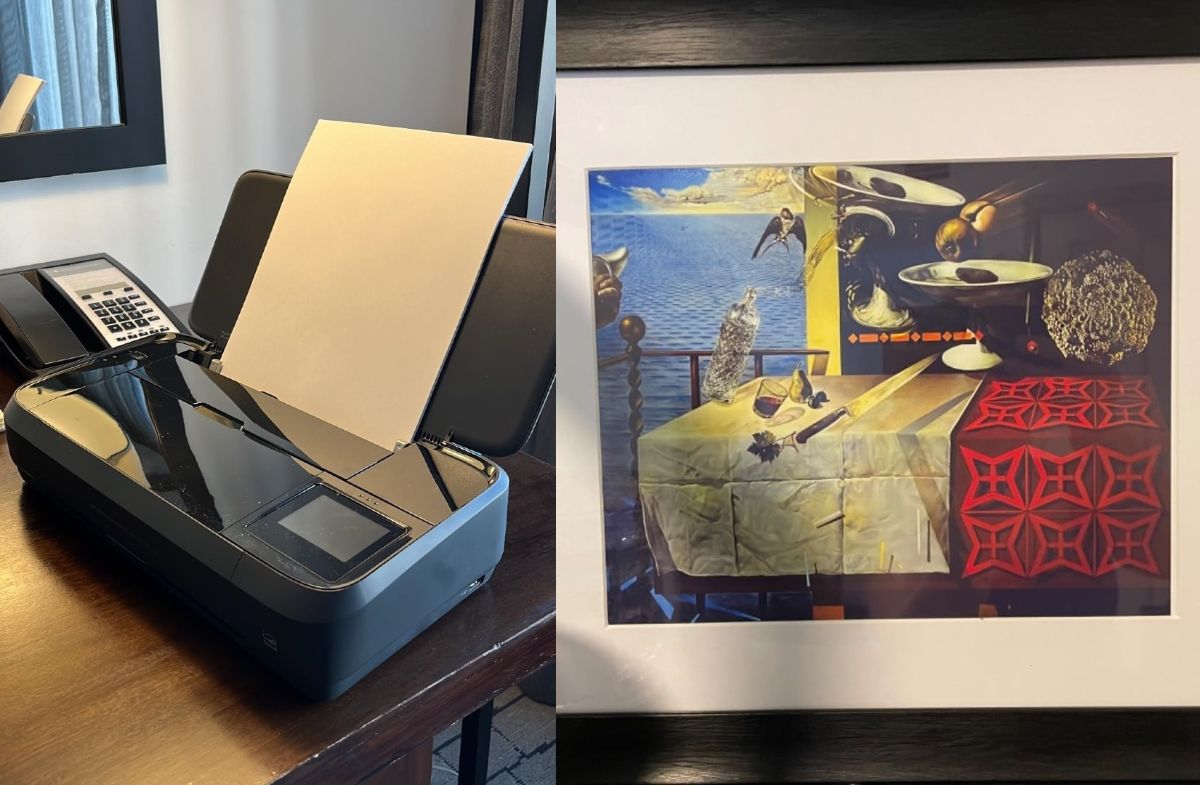
Why We Picked It
The HP OfficeJet 250 is a compact, portable all-in-one printer ideal for on-the-go printing, scanning, and copying. Its rechargeable battery, wireless connectivity, and mobile app support make it perfect for travel, remote work, or situations where a traditional desktop printer isn’t practical. Despite its small size, it delivers sharp text and vibrant color prints. The device’s portability and versatility make it a standout for users who need professional results anywhere.
Pros
- Lightweight and highly portable with a built-in rechargeable battery.
- Wireless printing from laptops, smartphones, and tablets.
- Direct printing and email scanning capabilities.
- Compact footprint ideal for small spaces or travel.
- Touchscreen interface simplifies navigation and scanning adjustments.
- Duplex printing supported for documents.
- Quality prints, especially for photos, with sharp text and vibrant colors.
- Dedicated document tray for scanning multiple pages.
Cons
- Spotty connectivity and glitches with Mac devices, especially if either device is in sleep mode.
- Battery drains relatively quickly under heavy use; sleep mode can be overly aggressive.
- Small touchscreen can be tricky to use and is prone to scratches.
- Ink consumption is high compared to other compact printers, particularly for color printing.
- Wireless scan functionality may occasionally require troubleshooting.
- Not ideal for high-volume printing.
Who Is It For
- Professionals, students, or travelers who need printing capabilities on the go.
- Users who prioritize portability and mobile device printing.
- Those who want a compact all-in-one for occasional document or photo printing.
- Not recommended for users who need frequent heavy-volume printing or have Mac systems that require flawless connectivity.
Helpful Review Insight
- Setup is fast and intuitive, with mobile and wireless printing working smoothly for most devices.
- Print quality is excellent for documents and photos, making it a reliable backup or travel printer.
- Battery life and portability are standout features for remote work or field use.
- Mac users may face challenges with connectivity, sleep mode conflicts, and scanning reliability.
- The small touchscreen and exposed glossy surfaces require careful handling to avoid scratches.
Overall, the HP OfficeJet 250 excels as a portable, versatile solution for professional-quality printing on the move.
Frequently Asked Questions:
What is the most reliable printer brand according to buyers?
Many users consistently mention Canon and HP as reliable brands. Canon is praised for print quality and ease of use, while HP earns points for solid build and mobile printing capabilities.
Which printer is best for occasional use?
Inkjet printers with separate color cartridges are often recommended, but buyers caution against ink tank models unless you’re printing regularly. Printers with long-lasting ink and minimal maintenance are ideal—models like the Canon PIXMA or HP OfficeJet often come up as strong choices.
Are portable printers worth it?
Yes, especially for users who travel or need a compact option. Reviewers mention good battery life, sturdy build, and wireless printing as key benefits. However, print speed can be slower compared to standard models.
How important is WiFi connectivity?
Very important for most buyers. Many note frustration with older models that had frequent connection drops. Newer printers with easy setup and stable WiFi (like those compatible with AirPrint or mobile apps) receive much better feedback.
Do most printers support printing from phones or tablets?
Yes, and it’s now a top feature for buyers. Models with built-in support for AirPrint, Mopria, or dedicated mobile apps (like Canon Inkjet Smart Connect or HP Smart) are highly recommended.
What are common complaints about modern printers?
Buyers often mention flimsy build quality, high ink costs, and limited scanning resolutions. Some are disappointed by the lack of duplex scanning or the need to manually adjust control panels.
Is an ink tank printer a better long-term investment?
Mixed reviews. Some love the lower cost per page, while others say it’s not ideal for occasional printing due to clogging issues. Frequent users tend to benefit more from ink tank systems.
How much should I spend on a decent home printer?
Most customers feel that spending between $100–$250 gets you a solid all-in-one printer with reliable features. Going higher may offer faster speeds and better durability, but only if you print regularly.
Can I get good photo prints from a regular printer?
Yes, especially with certain Canon and Epson models. However, buyers suggest that dedicated photo printers or professional services are still better for high-end photo quality.